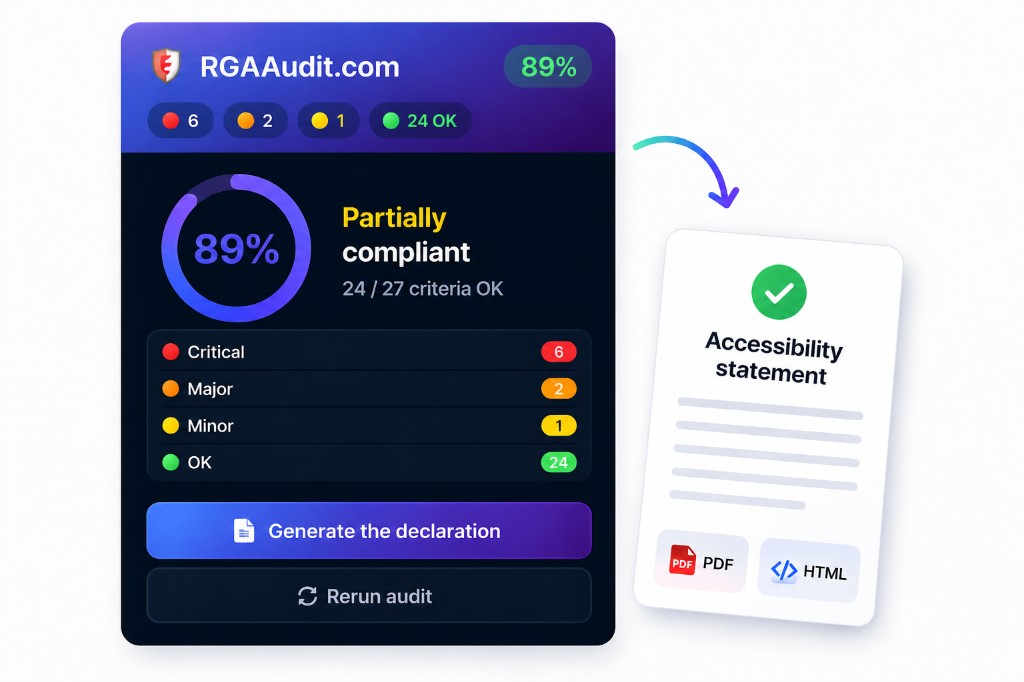
Accessibility statement checklist (DINUM)
Scope, exemptions, and a realistic action plan you can actually maintain.
ReadChrome extension: 45+ RGAA 4.1.2 criteria checked automatically, issues highlighted on the page, and an official French State (DINUM) accessibility statement template — to complete before publishing.
Since the French law of 11 February 2005 and the 2019 decree, any organisation must publish an accessibility statement or face penalties of up to €50,000 per year. RGAAudit.com helps you move from obligation to action.
Add RGAAudit.com to Chrome in one click. No registration required to get started.
Analyse one or more pages of your site. Detailed results in under 5 seconds.
Obtain your accessibility statement in the official format (DINUM model), ready to publish.
A complete tool designed for developers, project managers and quality officers.
Full DOM scan across 45+ RGAA 4.1.2 criteria. Results by theme, by severity, with overall score.
Automatic generation aligned with the official French State DINUM model. Editable fields, HTML export and PDF printing.
Build a basket of pages, audit them sequentially and obtain a complete consolidated report.
For each non-conformity: clear explanation, suggested correction and copyable code snippet.
Click on an issue to visually locate the faulty element directly within your page.
No data is sent to any third-party server. Analysis runs entirely within your browser.
7-day free trial, cancel in one click. Unlimited audits and the official DINUM statement are included from the first paid plan.
Prices excl. tax; VAT is added at checkout. Yearly plans are a one-off payment with no automatic renewal. Monthly plans can be cancelled from your account, and the licence stays active until the end of the period already paid for. 14-day right of withdrawal (see the terms of sale). Secure payment by Stripe.
RGAA (Référentiel Général d'Amélioration de l'Accessibilité) is the official French framework that translates international WCAG standards into concrete criteria. Version 4.1.2 comprises 106 criteria across 13 themes. Any public or private organisation with annual revenue exceeding €250 million is required to comply.
RGAAudit.com automatically verifies more than 45 of the 106 RGAA criteria. This covers approximately 42% of the referential — criteria that can be verified through DOM analysis (images, forms, links, colours, structure, etc.). Criteria requiring human evaluation (such as the relevance of a text alternative) are flagged for manual review.
The generated statement follows the official model recommended by the French State (DINUM / accessibilite.numerique.gouv.fr). It is pre-filled with your audit results and the required legal information. You will need to complete certain sections (contact details, any exemptions) before publication. It provides a solid starting point, not a replacement for a full human audit.
No. Analysis runs entirely within your browser. No data from your site is transmitted to our servers. The only network communication concerns licence verification (if you have one), and it contains no audit data.
No. The monthly plan starts with a 7-day free trial: nothing is charged before the trial ends, and you can cancel in one click from your account. The yearly plan is a one-off payment covering 12 months, with no automatic renewal.
Go to rgaaudit.com/account and enter the email you used at checkout: you will receive a link to the Stripe billing portal, where cancelling takes one click. Your licence stays active until the end of the period you have already paid for.
Yes. From your account, the Stripe portal lets you switch between Pro and Agency at any time, with the difference prorated over the remaining period.
Currently, RGAAudit.com is available exclusively on Google Chrome (and Chromium-based browsers such as Edge, Brave or Arc). Firefox support is planned for a future release.
Clear answers, checklists and examples to prepare your audits and publish your accessibility statement.
Scope, exemptions, and a realistic action plan you can actually maintain.
ReadFocus visible, focus order, modals and custom widgets: what to test before publishing.
ReadMore RGAA checklists and practical workflows for audit, fixes and publication.
ReadInstall the extension, run your first audit and get a complete diagnosis in under a minute.